Trasforma il tuo profilo GitHub con un prompt
Un ritratto ASCII che si scrive da solo, una card neofetch e il grafico dei contributi dal vivo.
Tre SVG animate e autonome, generate nel tuo repo. Nessun servizio esterno, nessun token, nessun JavaScript — e una GitHub Action aggiorna la heatmap ogni giorno.
Arrivi da Instagram? Commenta GITHUB e te lo mando in DM
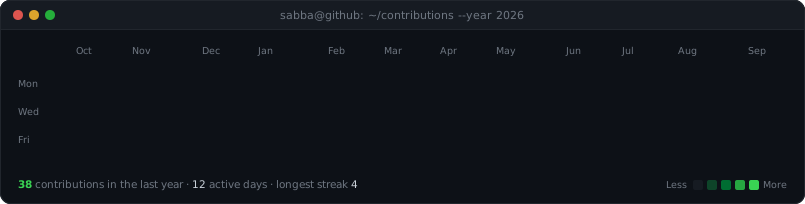
Questo è il mio profilo, costruito esattamente con questo prompt. Le animazioni partono una volta al caricamento della pagina.

Con il prompt
Per Claude Code, Cursor, Codex. Alla fine possiedi codice che capisci.
- 1
Copia il prompt
È qui sotto — un clic per copiarlo, oppure scaricalo come file.
- 2
Incollalo nel tuo agente
In una cartella vuota, dentro Claude Code, Cursor o Codex. Ti chiede username, una foto e i tuoi dati.
- 3
Pubblica nel repo col tuo username
Crea un repo chiamato esattamente come il tuo username GitHub — è quello che GitHub mostra sul profilo — e fai push.
Con il template
Niente terminale. Funziona dal telefono. La build gira su GitHub Actions.
- 1
Usa il template
Chiama il nuovo repo esattamente come il tuo username GitHub.
- 2
Carica una foto
In assets/, chiamata photo.jpg. Va bene anche dal telefono — l'HEIC funziona.
- 3
Modifica profile.yml
I tuoi dati, in testo semplice. Fai commit e la build fa il resto in circa due minuti.
Dice al tuo agente cosa costruire e le quattro cose che vanno storte se nessuno lo avverte — la differenza tra un ritratto e una macchia.
1Build me an animated GitHub profile README: a terminal-style page made of three2self-contained animated SVGs, generated by Python scripts in this repo.3 4First, ask me for:5 1. my GitHub username6 2. the path to a photo of me (one face, looking at camera, clearly lit)7 3. the lines I want on the info card (role, what I'm building, stack, location)8Then build everything and explain each decision as you go.9 10## What to produce11 12- `ascii-portrait.svg` — my photo as monochrome ASCII art that types itself in13 row by row, then freezes. No looping.14- `info-card.svg` — a neofetch-style panel of my details, lines fading in on a15 stagger. No GitHub statistics in here; the heatmap covers those.16- `contrib-heatmap.svg` — my real 53-week contribution calendar, revealing17 diagonally, with a Less->More legend and a stats footer.18- `README.md` placing them in a centred terminal layout.19- A GitHub Action that refreshes the heatmap daily and commits it.20 21## Hard constraints22 23GitHub strips `<script>` from READMEs and sanitizes inline CSS, but it *does*24render SVGs embedded via `<img>` and plays their SMIL and CSS-keyframe25animations. So every bit of motion must live inside the SVG files. Also:26 27- No external stylesheets, no webfonts, no remote images — the SVGs must be28 fully self-contained. Use a monospace font *stack* of faces that ship with29 operating systems.30- No third-party stats service and no access token. Read my contributions from31 the public HTML at `https://github.com/users/<username>/contributions`.32 Day cells are `<td data-date data-level>`; the exact count lives in a33 separate `<tool-tip for="<cell id>">`, so join them by id. Levels are 0-4.34- In the README: inline `style` is stripped, so `<br>` is the only vertical35 spacing that works; `<h1>`/`<h2>` draw a full-width rule, so use `<h3>` for36 headings you don't want underlined; and a `<table>` is the only reliable way37 to put two images side by side (`valign="top"` on the cells).38 39## The four things that will go wrong40 411. **Theme.** An SVG loaded through `<img>` cannot detect whether GitHub is in42 light or dark mode, so light-grey glyphs on a transparent background43 disappear for half of all visitors. Give every panel its own dark terminal44 background (`#0d1117`, `#21262d` border) so it renders identically in both.45 462. **Polarity.** Because the panel is dark and the ink is light, the glyph ramp47 must run dark->bright: a black pixel picks the space glyph and vanishes into48 the panel, a bright pixel picks the densest glyph. This is inverted from the49 usual white-background ASCII pipeline. Use a ramp like50 `" .\`:-=+*csS#%@"` indexed by brightness. Keep it ONE colour — per-glyph51 rainbow colouring is what makes most ASCII portraits look like static.52 533. **Framing.** Remove the background with `rembg`, then boost local contrast54 with OpenCV CLAHE (a flatly-lit face converts to one undifferentiated55 blob), then crush the low end with a levels curve so clothing falls to pure56 black. Crucially: measure the crop from the **alpha silhouette**, never from57 the graded image. Dark hair carries almost no brightness, so any framing58 that hunts for bright pixels crops the top of the head off. Measure head59 width as the *median* row width across the upper ~60% of the silhouette —60 the maximum catches a shoulder and leaves the face adrift in an empty panel.61 624. **Whitespace.** Renderers collapse runs of spaces inside `<text>` even under63 `white-space: pre`; the surviving glyphs spread across the row and the64 portrait visibly wobbles. Emit no spaces at all: split each row into runs of65 non-space characters and place each run at its own absolute `x` with an66 explicit `textLength` and `lengthAdjust="spacingAndGlyphs"`. Alignment then67 holds in any renderer, whatever monospace face the viewer has.68 69## Layout70 71Put the heatmap full width on top, then the portrait and card side by side72below. The two panels only line up if their displayed heights match, so solve73their widths from the rendered SVG dimensions rather than hardcoding them:74with a combined width of 850, each panel's display width is75`850 * aspect / (sum of both aspects)`. Recompute this whenever the card's76row count changes.77 78## Structure79 80Put the generators in `scripts/`, sharing one module for the panel chrome and81colours. Give each generator a `STATIC=1` env var that emits a frozen frame —82previewing an animation that has already finished looks like an empty panel,83and I will waste twenty minutes on it otherwise.84 85The portrait and card are static art: regenerate them locally when the photo86or my details change. Only the heatmap needs the cron. So the daily workflow87should install just `requests` and `beautifulsoup4`, run the fetch and the88heatmap render, and commit with `[skip ci]` in the message so the bot's own89commit doesn't retrigger it. It needs `permissions: contents: write`.90 91Verify your work before telling me it's done: assert the SVGs are valid XML,92contain no `<script>` and no external references, and that no drawn element93falls outside its panel — a legend running off the right edge is the classic94failure and it is invisible unless you check the numbers.La foto conta più di qualsiasi impostazione
Un volto, sguardo in camera, ben illuminato, su sfondo semplice. Una luce dura batte una luce piatta: la rampa ASCII ha bisogno di luci e ombre vere. Foto di gruppo e a figura intera diventano una macchia.
Vuoi qualcosa del genere per il tuo prodotto?
Costruiamolo insieme